Find missing and duplicate Plant 3D tags.
Read tag problems in context before changing a number. Tags Audit brings incomplete and duplicate values into a searchable list, with the selected object’s tag fields beside the result.
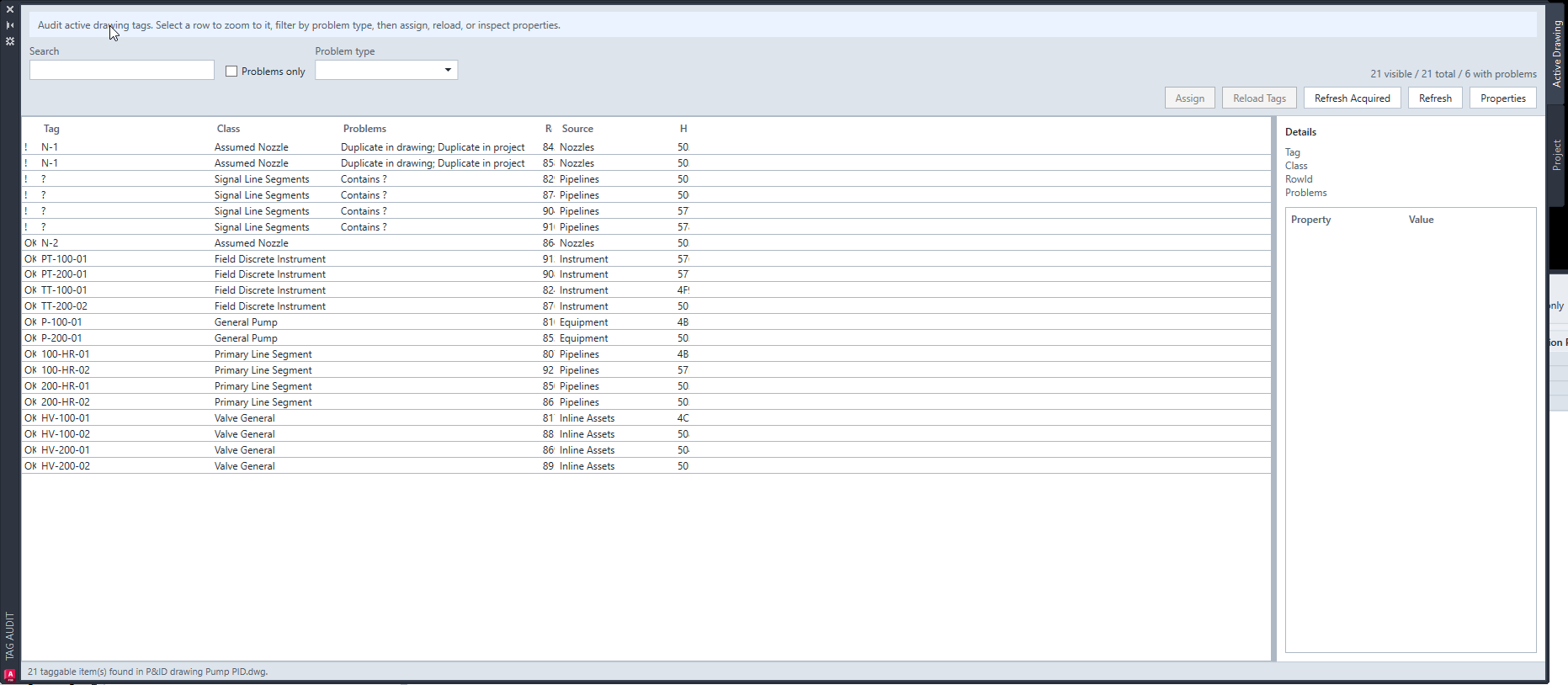
Separate incomplete fields from repeated values
A tag containing a question mark can point to a missing format field. A duplicate warning identifies a repeated value within the audit scope. Inspect the component class and configured tag fields before deciding which action fits.
The guide calls the workflow Tags Audit; the application palette and command are labelled Tag Audit.
Review first, then choose a correction
The Active Drawing view provides row-level inspection. Use the project audit for drawing-level and class-level status, then open the affected drawing for detailed review.
- Open the intended P&ID and run ATX_TAGAUDIT. Refresh the Active Drawing tab.
- Use Search, Problems only or Problem type to narrow the list. Select a row and inspect Details.
- Choose Assign for the selected object when its tag fields need correction. P&ID lines use Autodesk’s native Assign Tag dialog.
- Refresh after the normal assignment workflow to verify the new result, then save and check in the drawing as usual.
Numbering actions need an explicit decision
Assign Next is available for supported Equipment, Instrumentation or Inline Assets selections when you intend to allocate the next available number. Renumber deliberately replaces existing numbers; review its confirmation and processing order.
Reload Tags rereads tag information. Refresh Acquired runs Plant’s acquired-property refresh in the current drawing; it does not allocate new numbers or rebuild tags after a format change.
Keep project checks and object corrections connected
Use ATX_PROJECTAUDIT to review drawing and class tag status and export the project audit result. Source-family and class filters control what is included. Clear search filters when you need the full list.
For other allowed object fields, continue with Quick Properties. For agreement between P&ID and 3D property values, use Data Validator.
Try a familiar task on a project copy
Install RKCadTools, start the 15-day trial in Plant 3D and follow the guide for this workflow. No payment details are required. Review the results before introducing changes into production.
Read the Tags Audit guide · Compare all toolkit features · Pricing and licences