 Add to Chrome
We use essential cookies to keep RKCadTools running. With your permission, we also use analytics and marketing cookies to understand what helps Plant 3D teams and improve the site. Cookie Policy
Tools for AutoCAD Plant 3D
that cut the manual work.
Check project data, keep weld numbers consistent, and connect P&ID to 3D. RKCadTools puts your everyday tools in one Plant 3D ribbon tab.
Start with the work that slows you down.
From the first data check to the final weld list, keep the repetitive work under control.

Data Manager
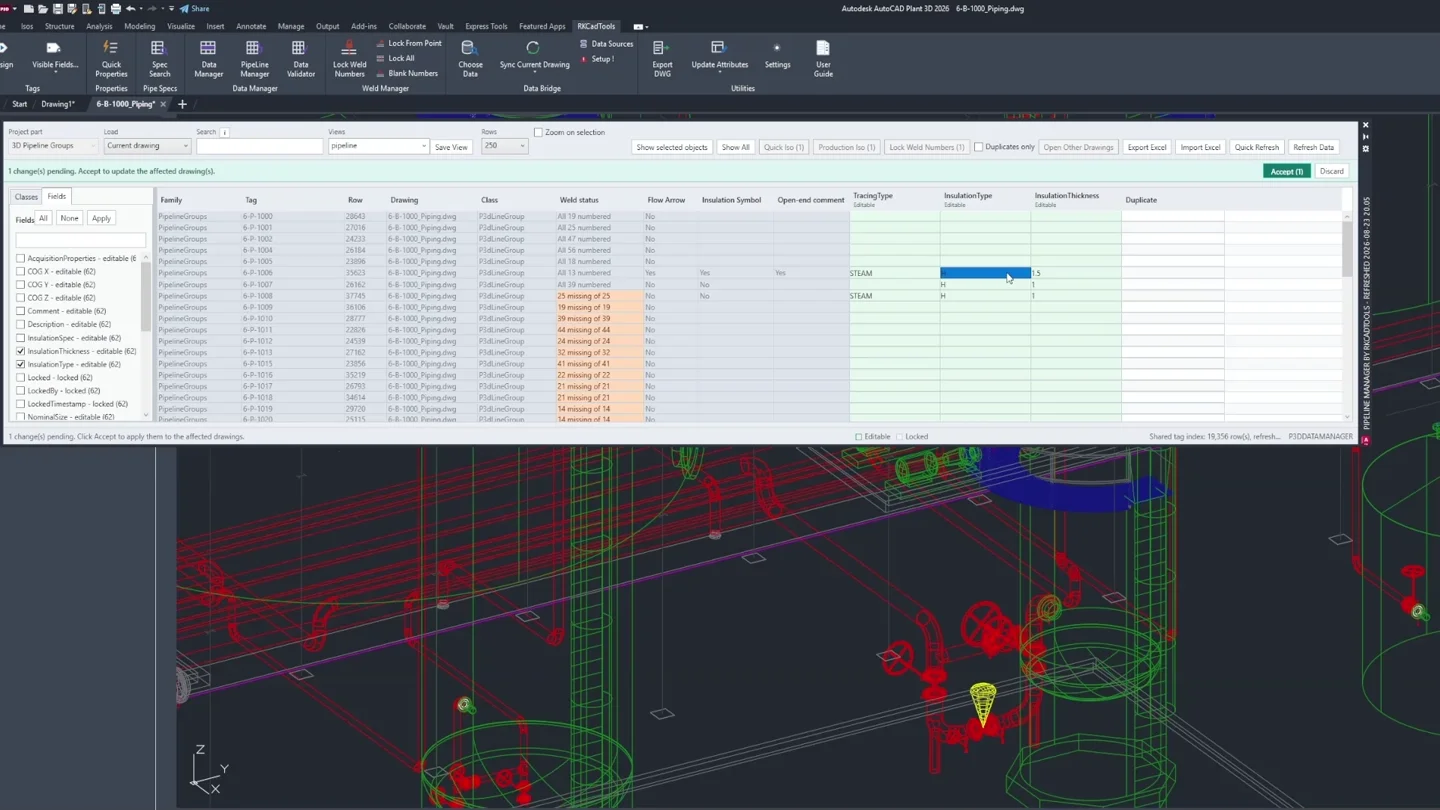
See your project data in one place.
Search and filter properties across your project. Find an issue, then jump straight to the object in the drawing.

Data Bridge
Review changes before you sync.
Map external data to Plant 3D properties, compare the differences, and review proposed values before applying updates.

Weld Manager
Keep weld numbers consistent.
Fill missing numbers from your existing sequence while preserving assigned values as the piping model changes.
Also in the toolkit: Spec Browser for finding and placing components, plus Pipeline Manager, OPC Manager, CrossNavigation, tag audits, and data validation.
Your model. Your properties.
Your next drawing.
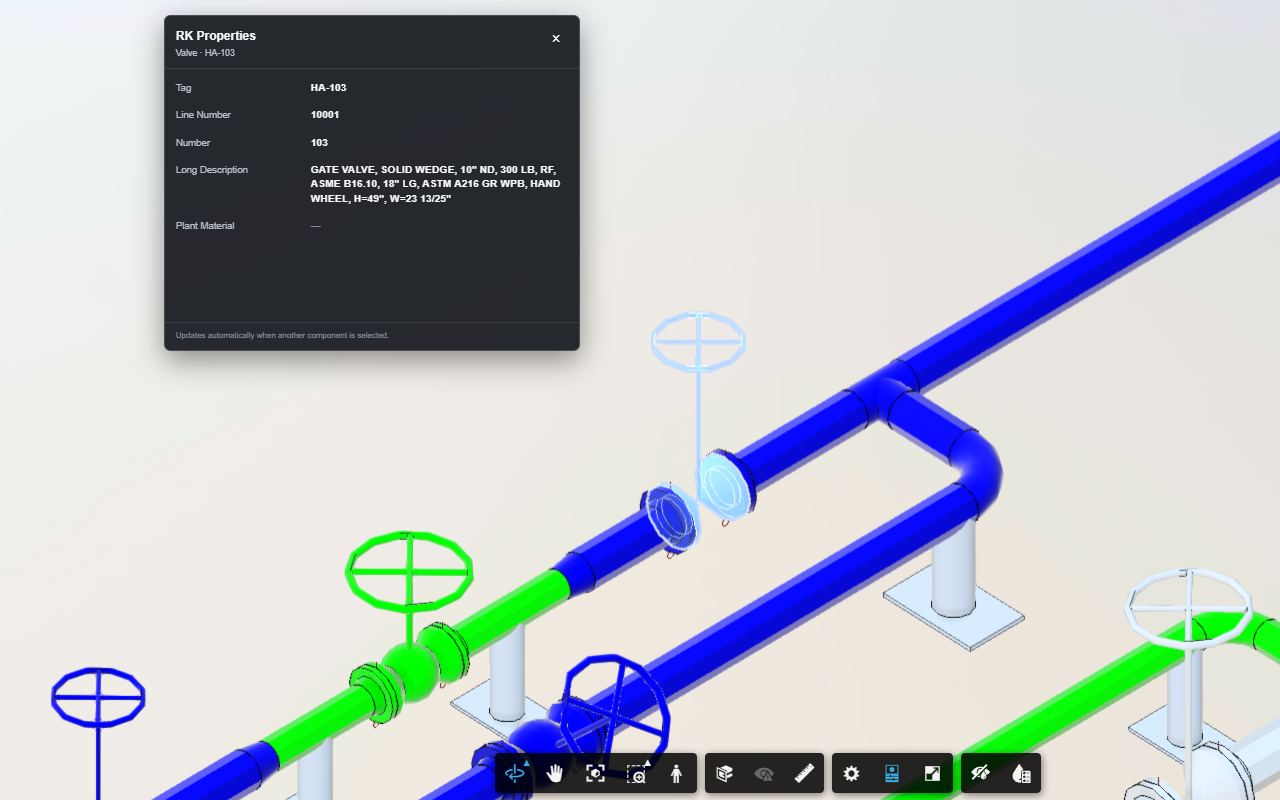
Bring RKCadTools into ACC Model Coordination, ACC Docs and Autodesk Viewer. Keep the properties you choose beside the model, then jump to the matching component in your interactive P&ID or AutoCAD Plant 3D.
Your drawings.
Your workflow.
Fewer manual steps.
Built by a Plant 3D production designer, for the routines that come up on real engineering projects.
01
Open your Plant 3D project
Use the drawings, tags, and properties your team already maintains. Open the tools from the RKCadTools ribbon.
02
Find what needs attention
Filter project data, check missing tags, or compare external values before deciding what to update.
03
Make focused updates
Apply the changes you need through dedicated tools for data sync, weld numbering, and connector cleanup.
Download. Install.
Try it for 15 days.
Download the build for your Plant 3D version, install it, and start your free 15-day trial directly in RKCadTools. No trial request or license key is needed.
One license per designer
Per-seat keys can be reissued when workstations or team members change.
Activate directly in RKCadTools
Open the activation window after installation and start the trial from inside the program.
Prefer email? contact@rkcadtools.com
Request pricing or a license
Contact us when you are ready to buy, need team pricing, or have a question about your setup.